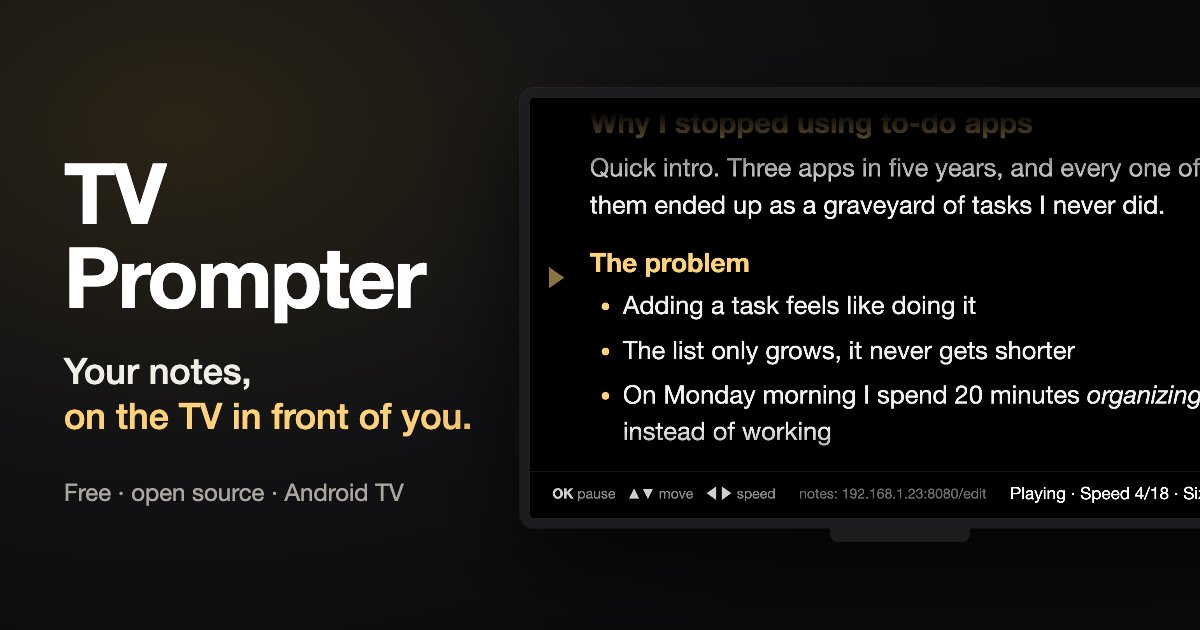
TV Prompter is a small Android TV app that turns my TV into a teleprompter. I paste my notes from my phone or laptop, and the TV scrolls them very, very slowly while I keep an eye on them.
It started on a Friday night when I was doing something else. There’s a 42-inch Philips OLED right in front of my eyes at my desk, and I was cleaning it up with Claude Code and the famous cleanyourtv repo. It turns off the tracking and the ads, and swaps the busy Google TV home screen for a clean one.
At some point I looked at it and thought, why am I not using this thing as a teleprompter for my notes? I asked for something very easy, which was big text that I can zoom and a speed that goes veeeery slowly.
The tricky part was getting the notes onto the TV, because typing on a TV remote is absurd. That’s why the TV runs a tiny web page on my home network and shows its address on the screen. I open it on my phone or laptop, paste my notes and press Save, and seconds later they’re on the TV.
Then I actually started using it, and the list grew. I needed to move up and down inside the text, so the arrows do that now. I also remembered that it’s an OLED and asked if all this was safe for burn-in.
It mostly was, but now the reading marker fades away and paused text dims after two minutes. After ten, the TV goes to its screensaver, and the whole screen drifts a few pixels every minute.
Anyway, it took one evening (and a lot of trial and error on the real TV). It’s free and open source, and it works on Android TV and Google TV. It’s not on the Play Store, so you install it yourself, which takes about five minutes.
Apparently the best screen for my notes was the one I was already staring at.