 SKIM
SKIM
Your unread Gmail,
one card at a time.
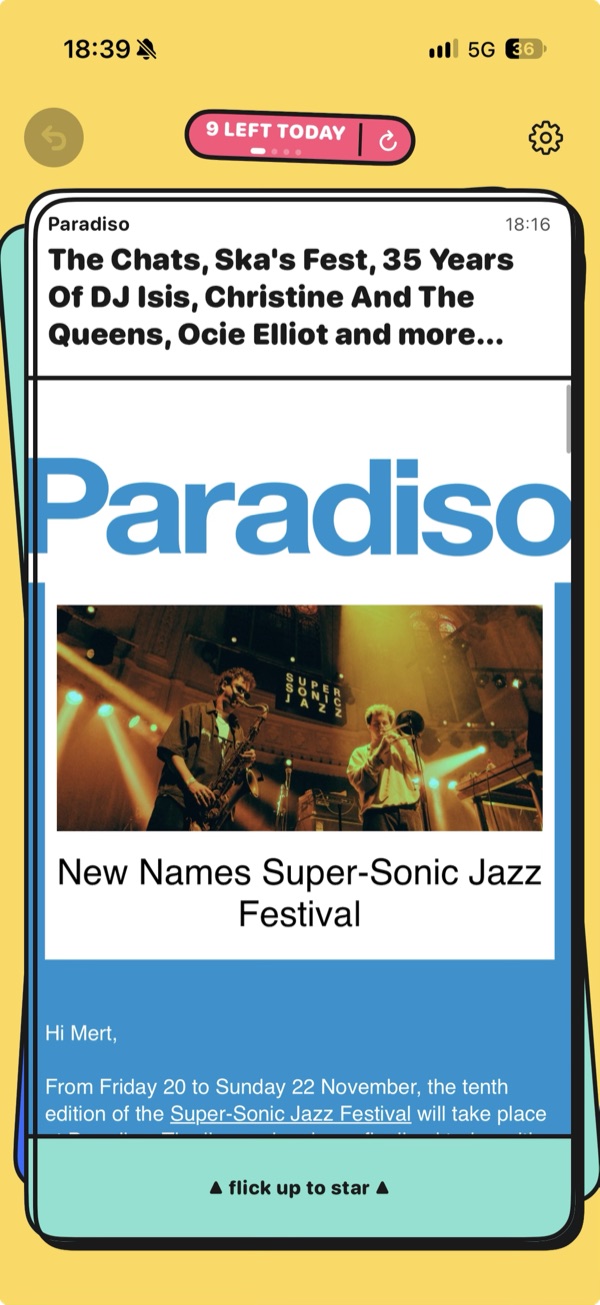
SKIM shows your unread mail as a stack of cards. Decide in one swipe, and the next card is already there.
For iPhone, iOS 17 or later · Gmail only · In testing, not on the App Store yet
Made for skimming, not for reading
← Swipe left
↑ Swipe up
→ Swipe right
Swipe up starts from the strip at the bottom of the card, so scrolling a long email never counts.
Your swipes, your rules
Pick what each swipe does: mark as read, keep for later, star or archive. Choose an action that's already on another swipe, and the two swap.
Swipes
Oops, undo
Swiped the wrong way? Undo brings the card back, even if the change already went to Gmail.
New mail, no jumping
New mail goes in behind the card you're reading, and a sync tells you what it found with a little haptic and a "+2 new" sticker.
Three skins, three feels
Arcade
Loud and springy, with thick outlines and stickers like "READ!"
Classic
A familiar mail-app look, light or dark, or matching your iPhone
Focus
Near-black and quiet, with check marks instead of words
Each skin has its own haptics, so every swipe feels a bit different.
Your mail stays on your iPhone
No SKIM server
SKIM talks to Gmail directly, so there's no server of mine in between (and no analytics or crash reporting either).
Read and label only
SKIM can read your mail and change its labels (read, star, archive), but it can't send, delete or forward anything.
Nothing kept
Your email is only kept in memory and is gone once you close SKIM. Besides your settings, the phone only keeps a short list of changes waiting to reach Gmail, with no email content.
Questions
Can I download it?
Not yet. I'm testing it on my own inbox every day, and before it can go on the App Store, Google has to verify the app. I'll put the link here when it's ready.
Does it work with Outlook or iCloud mail?
No, SKIM is Gmail only, and for now it's one Gmail account. More than one account is on the list.
Can I reply to an email?
No, on purpose. SKIM is for getting through the pile, so there's no reply, compose or forward. When an email needs an answer, keep it for later and reply from your normal mail app.
What's coming next?
Digest notifications, so instead of a ping for every email you get something like "23 new since this morning. Time to skim?" After that, labels on the cards and more than one Gmail account.